-
-
jrebel for android(安卓开发插件)
v2.0.30免费版
- 软件大小:28.4MB
- 更新日期:2017-09-19
- 下载次数:0次
- 软件语言:简体中文
- 软件授权:免费软件
- 软件评级:

- 安全检测:无插件无病毒
- 软件类型:国产软件
- 软件分类:编程工具
- 软件系统:winall



jrebel for android(安卓开发插件)简介
jrebel for android是一款Android studio插件,这是目前最新版本2.0.30。 支持android ide studio2.0,通常在开发过程中,我们每次修改代码后想要在模拟器或者真机上看到修改后的效果,都需要将Android应用重新编译、打包和安装到Android设备上并重启,这个过程是非常耽误时间的。JRebel for Android完美解决了这个问题。本工具仅用于学习交流,有需要的赶快下载吧!
使用方法
在Android Studio中选择Setting-->Plugins-->Install plugin from disk
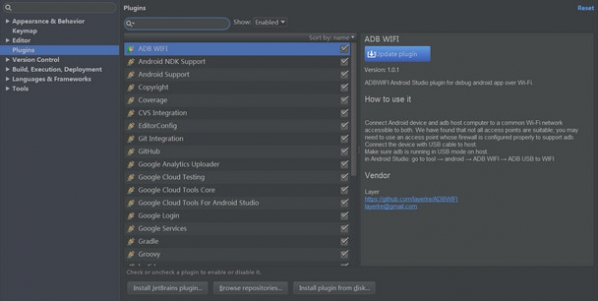
选择jr-android-ide-studio.zip,安装完成后重启AS,重新启动后会提示激活,选择使用证书激活,然后选择压缩包中的lic文件即可。
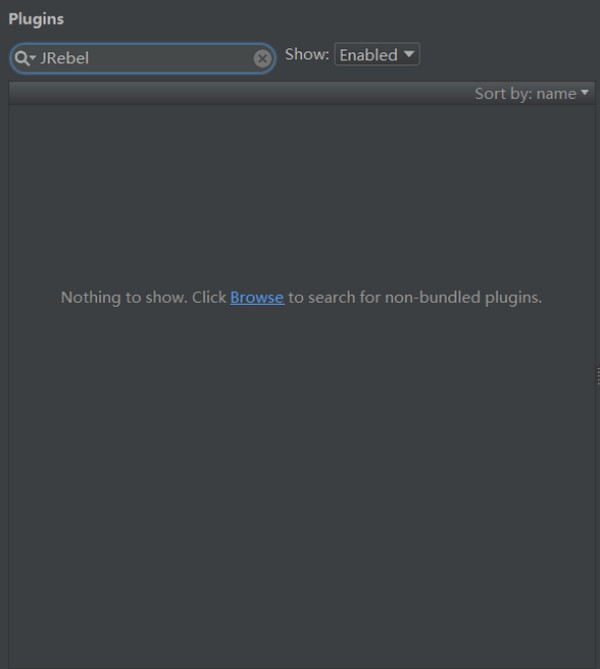
3个按钮从左往右依次:
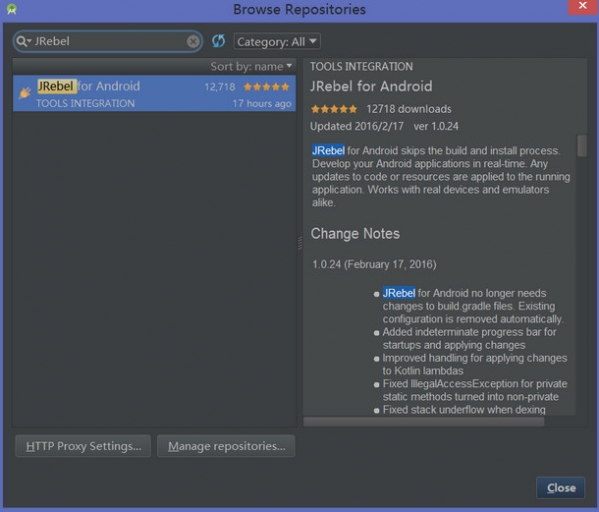
Run app with JRebel for Android
Debug app with JRebel for Android
Apply changes with JRebel for Android
一般我们只需要第一次安装的时候使用第一个按钮运行一次,之后代码变动,只需要点击第三个按钮,你的真机或者模拟器很快就展示出来修改代码之后的效果。
相关专题
换一换-
 android开发
一款好的开发工具对于开发人员来说是必备品。Android开发同样也会用到多种开发工具,供开发人员设计、创建、测试和发布程序时使用。Android以其极强的开放性吸引着世界各地的开发者去开发各种各样的移动应用开发。Eclipse可以说是目前最受欢迎的Android开发工具了。 Android SDK也不错,要说哪个好,还是要看个人对它们的功能需求了。android主流开发工具哪款好,必须看看小编精选的这些工具。
人气软件
-
360软件管家V14.0.0.2236

95.2MB|2026-07-23
-
虎牙直播7.31.1.0

2.79 MB|2026-07-08
-
抖音电脑版8.0.0


211.43MB|2026-06-25
-
雷神加速器V11.3.1.8

88.3MB|2026-06-17
-
驱动精灵2025.8.5.220

105MB|2026-06-17
-
泡泡加速器25.12.5.1

2.92 MB|2026-05-20


热搜推荐
-
 我的世界1.18.41.2
|185.44MB
我的世界1.18.41.2
|185.44MB -
 wps office12.1.0.26895
|248MB
wps office12.1.0.26895
|248MB -
 爱奇艺14.7.0.10127
|67.38MB
爱奇艺14.7.0.10127
|67.38MB -
 租号玩5.18.250612.1
|91.5MB
租号玩5.18.250612.1
|91.5MB -
 QQ游戏大厅5.89.58862.0
|113 MB
QQ游戏大厅5.89.58862.0
|113 MB
装机必备软件






小编推荐
-
1
360软件管家V14.0.0.2236
系统安全|
-
2
虎牙直播7.31.1.0
视频播放|
-
3
抖音电脑版8.0.0
视频播放|
-
4
雷神加速器V11.3.1.8
网络加速|
-
5
驱动精灵2025.8.5.220
硬件工具|
-
6
泡泡加速器25.12.5.1
网络加速|
-
7
万能数据恢复大师7.0.1.1

数据恢复|
-
8
红手指云手机v4.12.081

游戏软件|
-
9
迅游网游加速器8.0

网络加速|
-
10
苹果恢复大师3.8.38.2362最新版

数据恢复|